

Table of Contents
As an ABAP developer, understanding Selection Screen is very important. Because based on selection screen create report, uploader, RF-Screen
What is a Selection Screen?
A Selection Screen is the first screen that appears before executing a report program.
It is used to:
- Take user input
- Filter data
- Pass parameters to the program
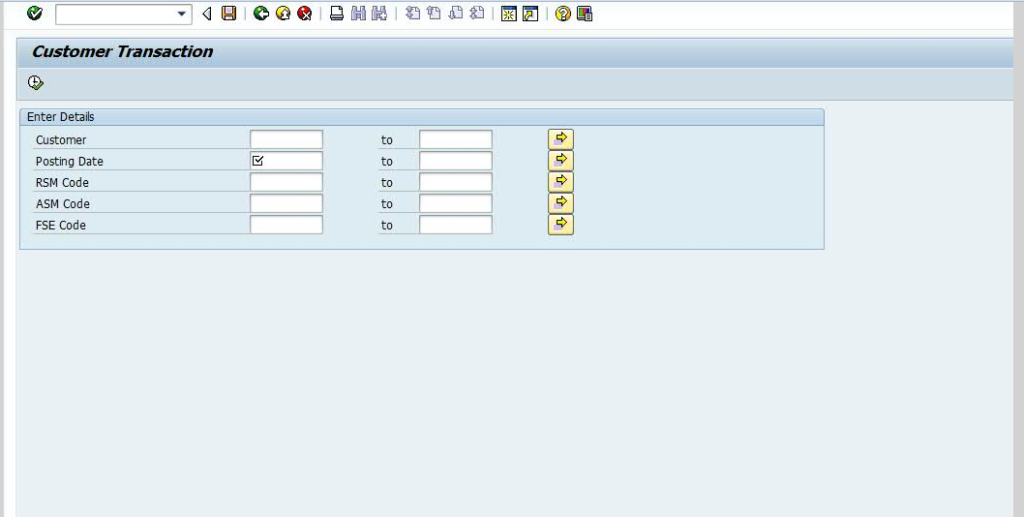
Example:
When you run a report and it asks for:
- Company Code
- Plant
- Date Range
- Material Number
That input screen is called a Selection Screen.
How to Create a Simple Selection Screen?
In ABAP, selection screen is created automatically in Report Programs.
Create a Report
Transaction: SE38
Create program type: Executable Program
Basic Elements of Selection Screen
There are mainly two types:
| Type | Purpose |
|---|---|
PARAMETERS | Single input value |
SELECT-OPTIONS | Range (from-to, multiple values) |
PARAMETERS (Single Value Input)
REPORT z_demo_selection.
PARAMETERS: p_matnr FOR mara-matnr
START-OF-SELECTION.
SELECT * FROM mara
WHERE matnr = p_matnr
INTO TABLE @DATA(lt_mara).
LOOP AT lt_mara INTO DATA(ls_mara).
WRITE: / ls_mara-matnr.
ENDLOOP.
Thank you, May this is help your to create a Selection Screen.
if you want to learn What is SAP ABAP?